Start from an idea, outline, or script, or create anew project
AI-driven engine for continuous content production
From intent to video.
Coherent delivery,
under control.
Vitent uses AI to generate ideas, scripts, characters, scenes, props, and storyboards, then organizes them into one production workflow so every shot is generated with context.
Vitent is currently in a design partner and private beta phase.
Intent
Intent Input
Start from an idea, outline, or script, or create a new project directly. Vitent continues the workflow through project setup, script preparation, assets, storyboards, and generation.
Project
Project Setup
After creating a project, set the project name, aspect ratio, target episode length, and visual style so assets, storyboards, and clips follow the same production constraints.
Heavenly Corner Store
16:9
9:16
1:1
4:3
3:4
21:9
Adaptive
Fixed
 Live-action Short Drama
 Overseas Short Drama
 3D Guoman
 Selected3D Animation
Assets
Asset Build
Extract this episode's characters and scenes from the final script, generate reusable asset images, and store them as a project asset library for storyboards and video clips.
 Heavenly Corner Store - Episode 1
Script
Assets
Storyboard
Production
Episode Assets
All 6
Characters 3
Scenes 3
Props 0
Characters3
 Immortal Officer A Character1 asset · Linked to 1 episode
 Deities Character1 asset · Linked to 1 episode
 Grand Secretary Taibai Character1 asset · Linked to 1 episode
Scenes3
 Abandoned Shop Scene1 asset · Linked to 1 episode
 Merit Office Scene1 asset · Linked to 1 episode
 Outside Mai's Store Scene1 asset · Linked to 1 episode
Video
Video Generation
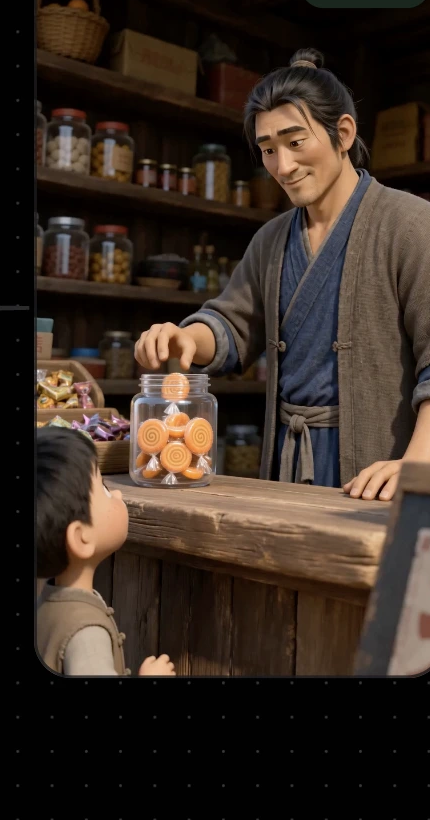
In the Production page, locate the current clip, import the storyboard script, character image, scene image, and video node, then generate, preview, and accept the clip on the infinite canvas.
Heavenly Corner Store - Episode 1
Script
Assets
Storyboard
Production
Duration: 4s
Shot Size: Medium
Camera / Movement: Eye-level, slightly low angle



 ✓ Generated
Heavenly Corner Store - Episode 1
✓ Generated
Heavenly Corner Store - Episode 1
Script
Assets
Storyboard
Production
 ✓ Accepted
13s
Capabilities
Production Capabilities
All-in-One Agent
Understands project context and helps with creative breakdown, shot planning, asset management, quality checks, and next-step suggestions.
Infinite Canvas
Places scripts, assets, storyboards, references, and generated results on one expandable canvas while preserving the creative thread.
One-Click Asset Import
Quickly imports characters, scenes, and props so existing assets enter the production context directly.
Smart Clip Segmentation
Identifies usable segments, action points, and narrative units in long videos for reuse, remixing, and later AI generation.
Professional Storyboards
Turns scripts into storyboards with shot number, duration, shot size, camera movement, subject, action, dialogue, sound, and visuals.
Full Episode Preview
Connects scenes, segments, and shots into an episode-level preview so teams can review progress from a director's view.
Consistency Maintenance
Keeps blocking, action continuity, prop states, and narrative information aligned across shots.
3D Virtual Studio
A high-control capability for characters, scenes, and props, coming soon.
Invite-Only Registration
Turn your next AI video
from retries into direct output.
If your team is creating short dramas, short-form comics, brand marketing assets, or course video content, you are welcome to try Vitent and share your feedback with us.