A blank prompt box can be a difficult place to start. You may know that you need a product launch, a local-business profile, or a creator video, but still have to decide what information to prepare, which shots to include, and how the finished piece should flow.
Vitent creation templates turn those decisions into a guided workflow. Each template defines the inputs to collect, the production stages to complete, and the outputs to review. The Agent carries that structure forward while keeping you in control of claims, assets, and generation approvals.
Three ways to begin in top-level Agent mode
On the Vitent home page, choose Agent and start in any of three ways: describe the result in your own words, choose a creation template, or open an Inspiration case and select Remix.
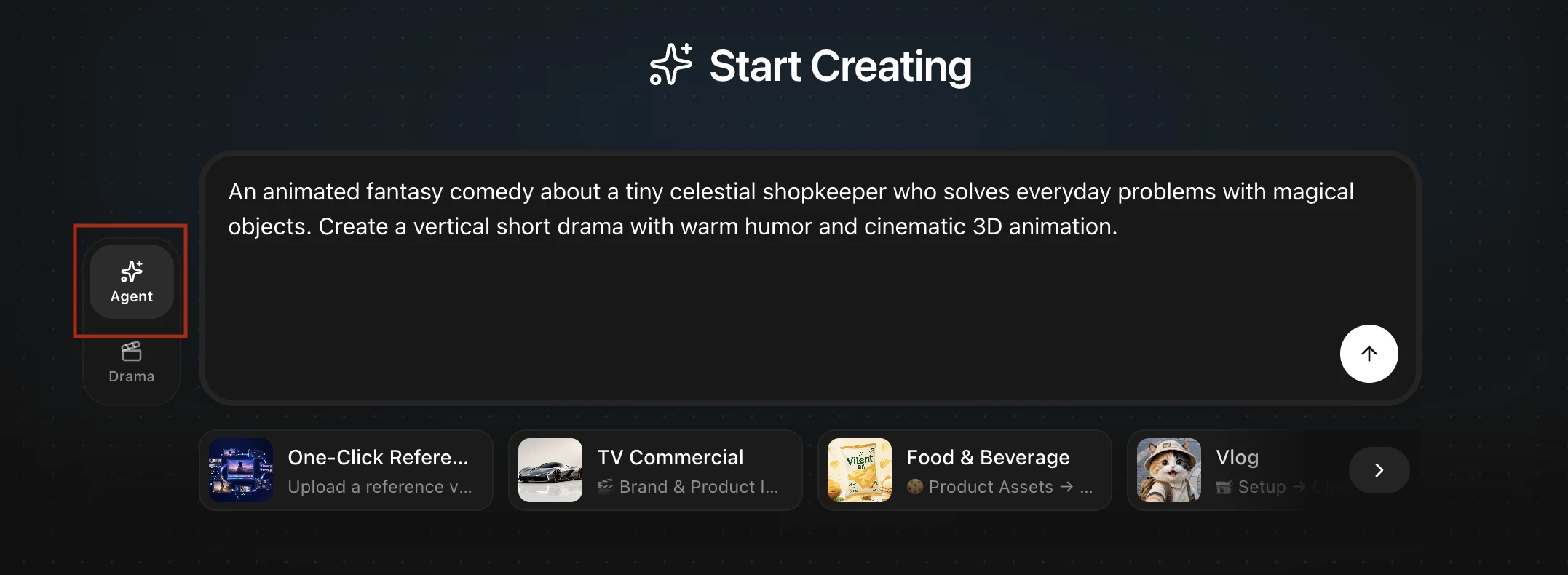
Use a free-form description when the outcome is clear but the format is still open. The Agent can ask for the missing information and prepare a production plan. Choose a template when you already recognize the kind of video you want. Choose an Inspiration case when a finished example has a structure, pace, or visual direction you want to adapt.
A template is a workflow, not a sample prompt
Each template starts with purpose-specific questions. A TV commercial needs a product, audience, value proposition, runtime, and brand direction. A local-business review needs a location, services, customer perspective, and proof points. A creator vlog needs a setting, presenter, story beats, and tone.
That information becomes a sequence of reviewable steps: gather source material, identify missing assets, prepare or generate references, write the script, build the storyboard, confirm the video plan, and create the output. The exact path varies by template.

Current starting points
The current English home page includes workflows for One-Click Reference Video Remake, TV Commercial, Food & Beverage, Vlog, Kids' Educational Video, Local Business Review, Game Promo Video (PV), Special Occasion Story, Fashion, Bags & Accessories, and Beauty & Personal Care.
| Starting point | Useful when you need | Typical source material |
|---|---|---|
| TV Commercial | A focused product or brand message with a clear hook, proof, and ending | Product images, approved claims, audience, brand direction |
| Food & Beverage | A product demonstration, serving moment, recipe, or sensory story | Packaging, ingredients, preparation steps, approved product facts |
| Beauty & Personal Care | A routine, texture demonstration, or benefit-led product story | Owned product imagery, demonstrator direction, verified benefits and disclosures |
| Local Business Review | An accessible profile of a store, studio, workshop, or service | Location images, services, prices if confirmed, customer viewpoint |
| Vlog | A presenter-led personal story, activity, or day-in-the-life format | Presenter reference, setting, story beats, tone |
| Kids' Educational Video | A short explanation with age-appropriate pacing and visual examples | Learning goal, age range, key facts, character or visual style |
| Game Promo Video (PV) | A compact reveal of a game's world, characters, action, and call to action | Game assets, approved feature list, platform, campaign goal |
| Special Occasion Story | A personal greeting or keepsake built around people and memories | Photos, names, occasion, message, preferred mood |
Remix a case without copying its product
Inspiration cases show finished creative structures. Current English categories include How-To & Explainers, Brand Promotion, and Global Marketing. Examples on the live page include Little Hands vs. Germs, Up Before Dawn for the Sunrise, A Quiet Skincare Ritual, How a $25K Steel Workshop Takes Shape, and Unbox the Frame.
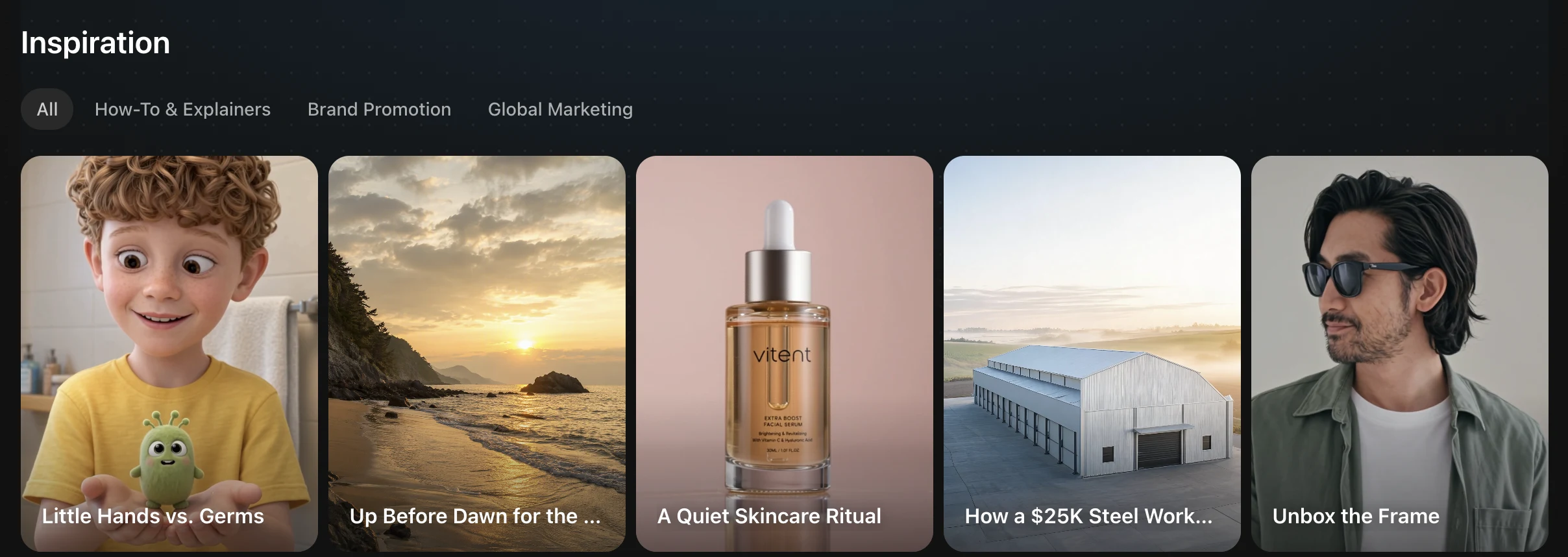
When you select Remix, the case can supply pacing, shot logic, and production order. Your product, presenter, location, brand language, and approved claims still need to come from your own material or from assets that you review and approve.
For example, a skincare case might preserve a sequence such as product reveal, application, texture, result, packshot, and closing card. It should not turn the example bottle, brand name, or benefit statement into facts about your product.
What to review before spending credits
- Ownership: confirm that you may use every uploaded image, clip, voice, logo, and reference.
- Claims: provide exact product facts. Do not let a creative example become an unverified price, rating, performance, or health claim.
- Identity: check the product, presenter, location, and visual style before they are reused across multiple clips.
- Plan: review the script, storyboard, model, duration, aspect ratio, resolution, audio setting, and live credit estimate.
- Output: inspect continuity, action order, speech, generated text, branding, and required disclosures before publishing.
Interface note: this article describes the top-level Agent mode available from the home page. A Drama project also has an assistant on the right side of its workbench, but that assistant operates inside the structured Drama production workspace.
Open a workflow at app.vitent.ai.